by Lucid Session
Touchstone
The work around the music — handled.
Organizing, analyzing, housekeeping, references: Touchstone puts it all in a single dashboard so that your attention stays focused on the music.
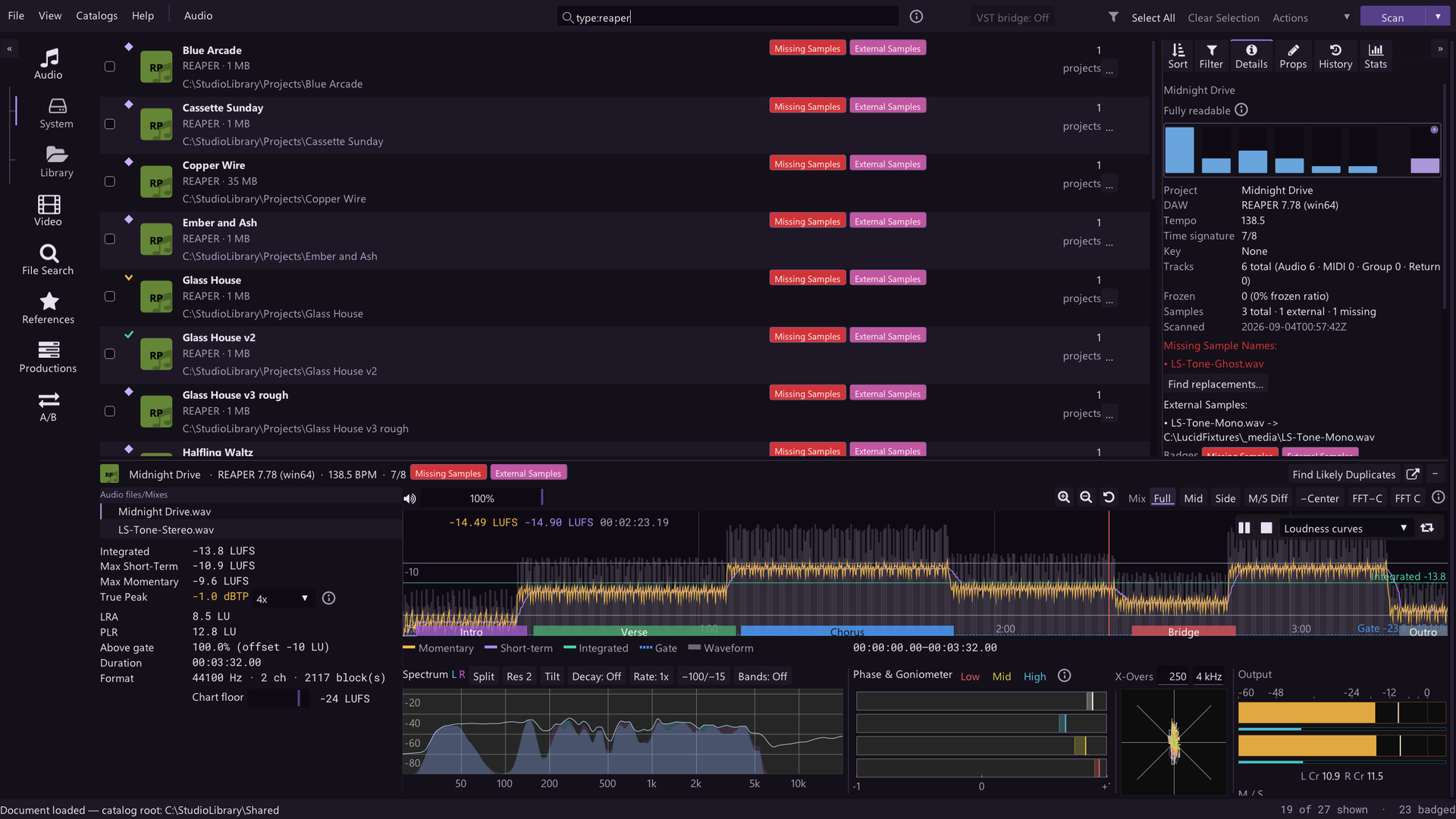
Find anything, fast
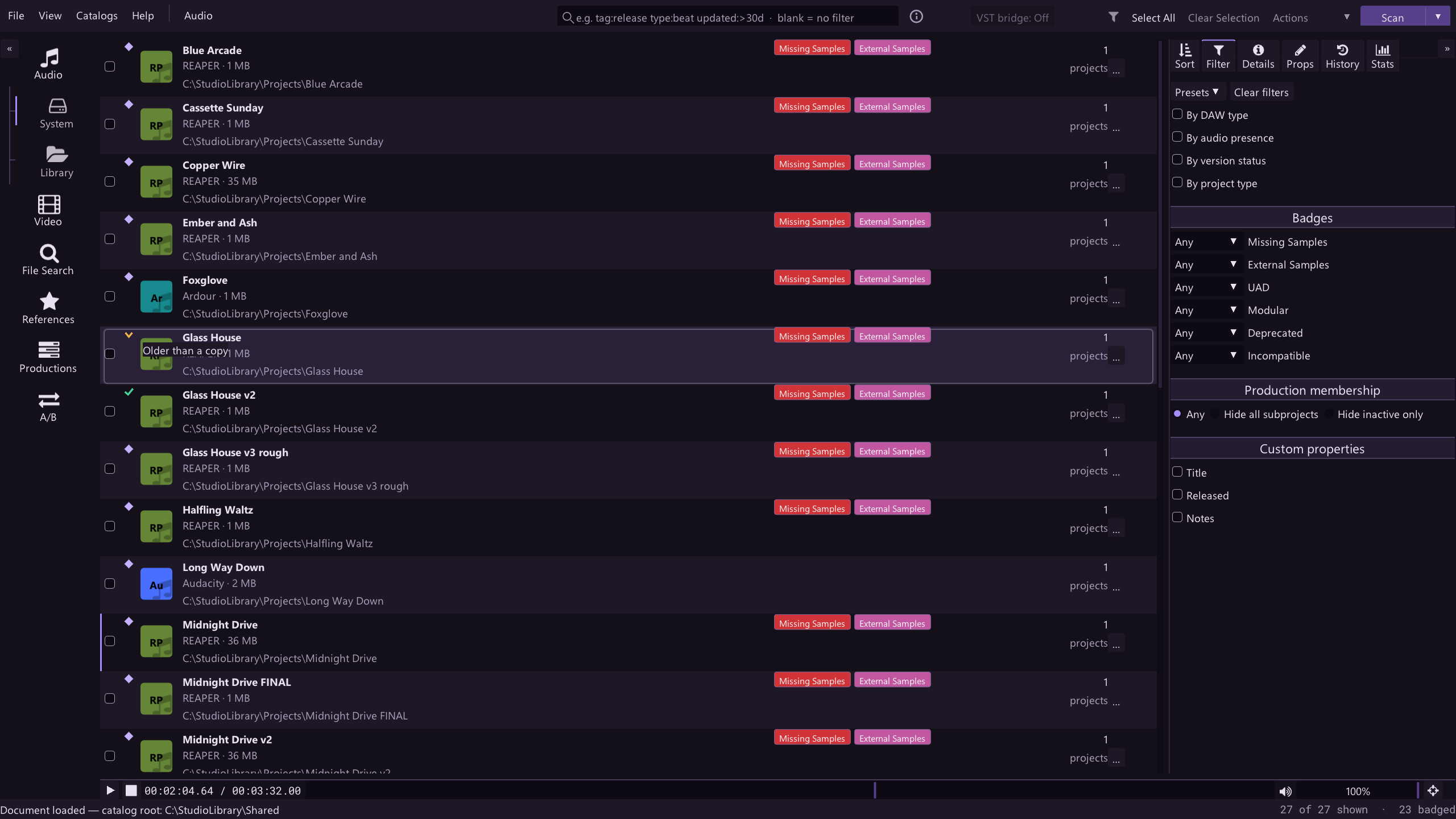
Every project, reference, and analysis lives in one filterable dashboard with workspaces for DAW projects, video projects, and your audio reference library.
Never hunt through your filesystem again. Advanced tagging features allow you to categorize and search/filter by whatever information you want. Launch every project right from Touchstone.
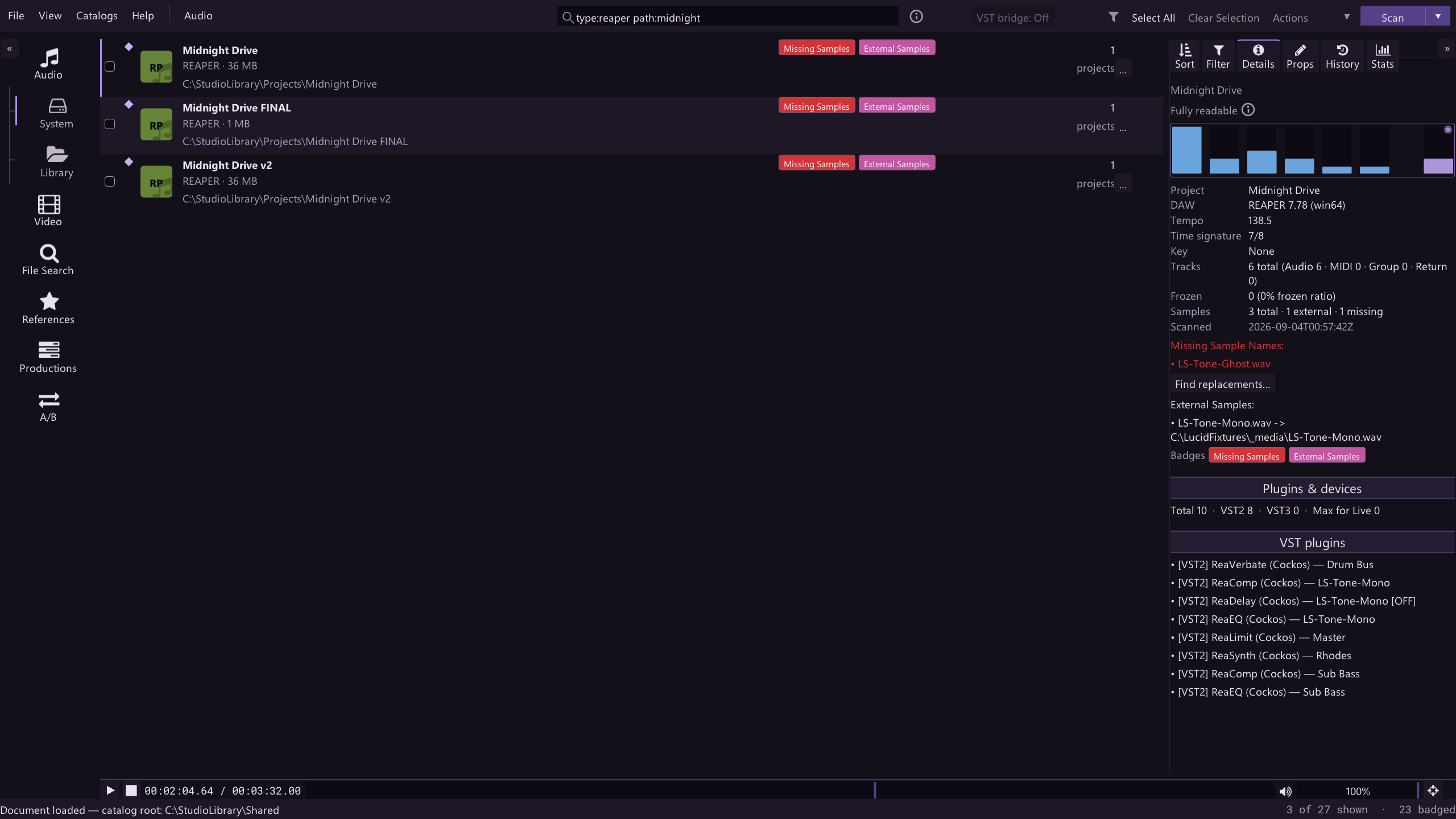
Advanced tools + your ref library in every session
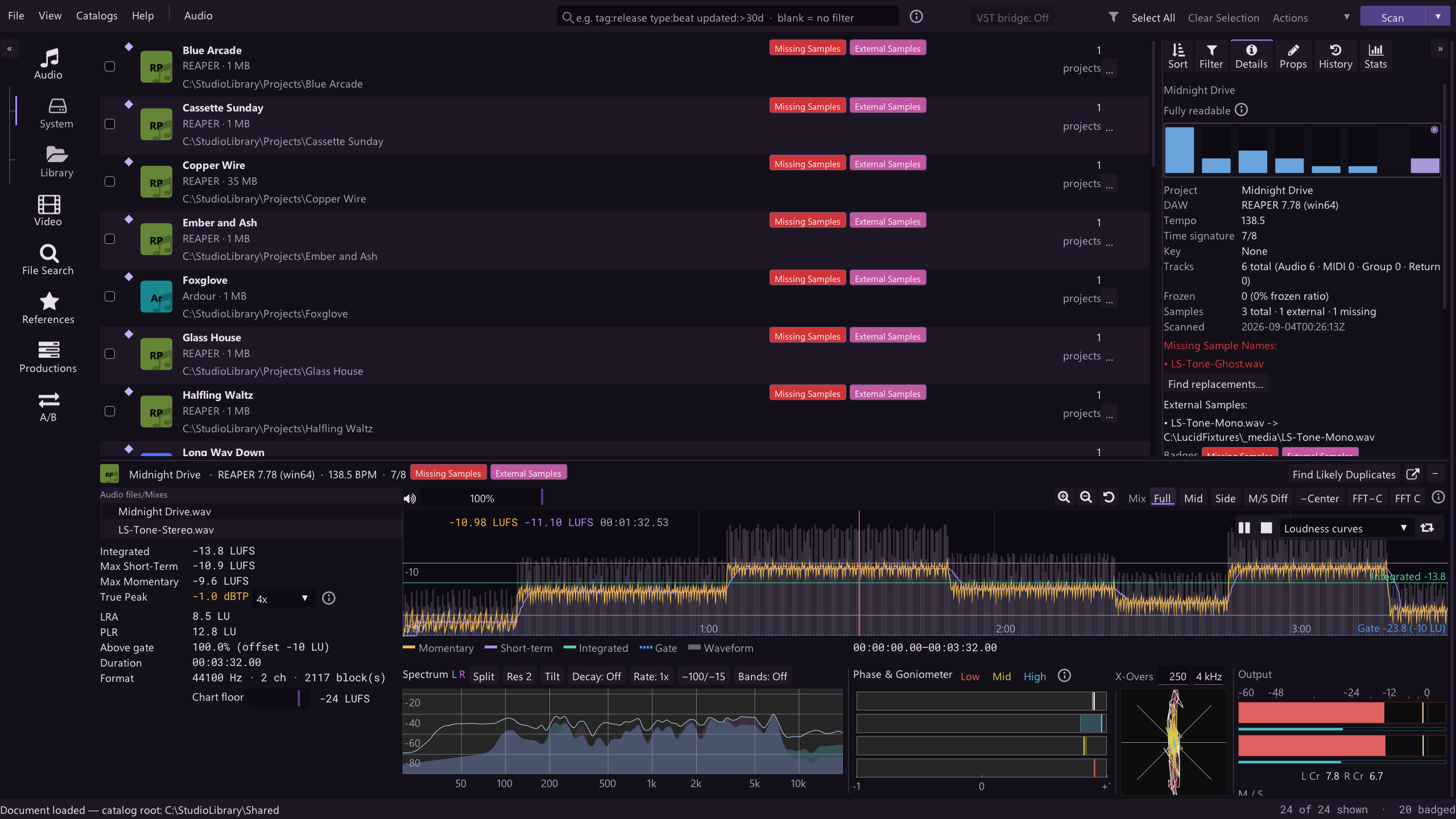
Place the Touchstone Bridge plugin at the end of your mix bus and send Touchstone's audio directly into the DAW, so you can switch instantly between the mix in progress and any project or reference in your library without importing tracks to the DAW. Includes a full suite of analysis tools and seven listening mix modes (full, mid, side, M/S difference, minus-center, and two spectral-center variants) plus EQ band solo. Mix modes affect original and bridged audio so you can A/B stereo width, center image, and other production aspects between reference and project audio easily.
Touchstone's own playback mutes while the bridge is active.
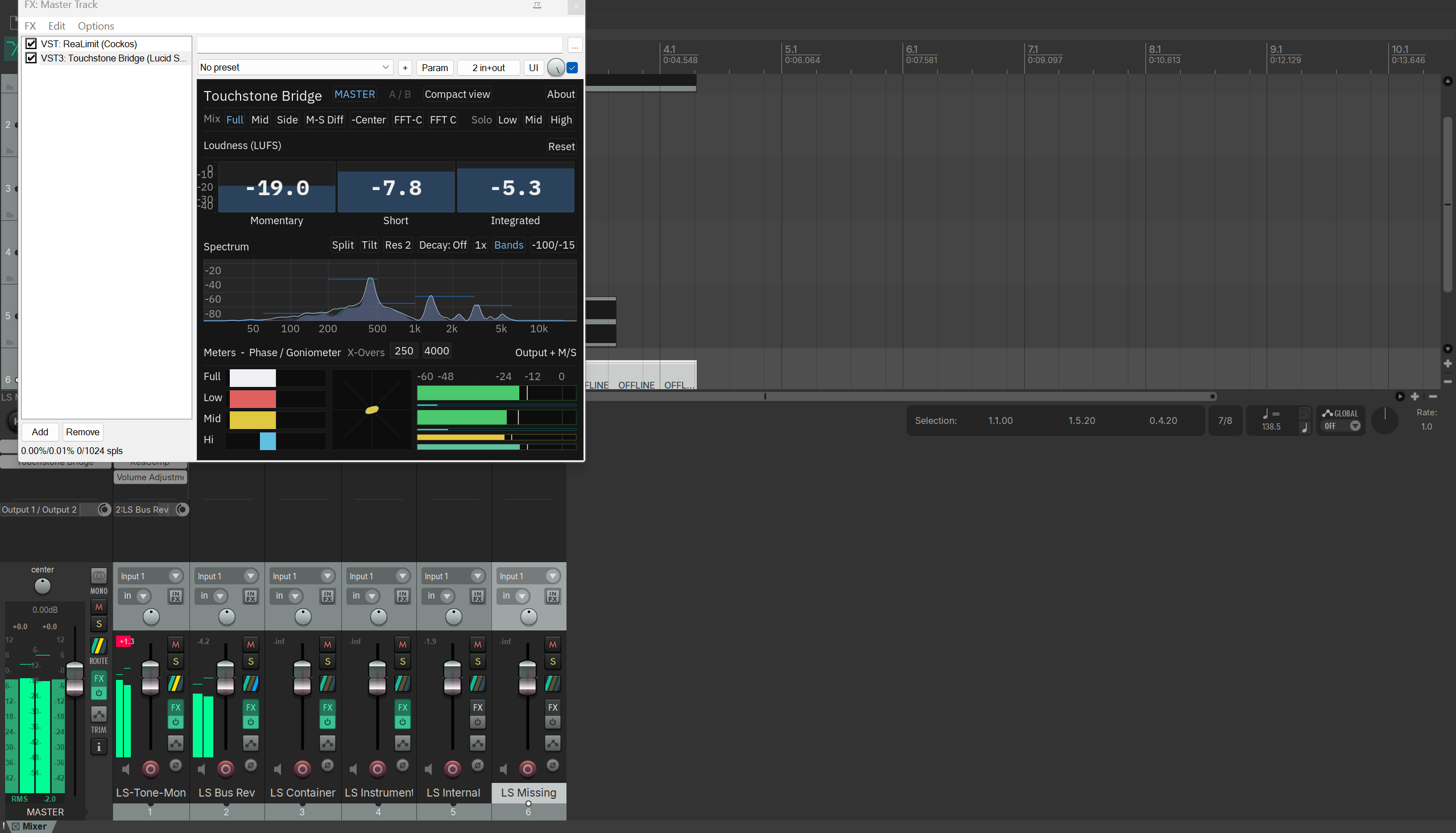
A/B sources normally or in blind mode
Compare any two sources, whether a reference and in-progress mix or two versions of the same song, and optionally engage blind mode to remove any chance of bias creeping in and affecting your final decisions. Mix modes can be engaged in A/B mode as well to side-by-side compare phase issues, panning of elements and FX, and other critical factors that are difficult to pick out of a full mix.
For next level work, A/B mode can be combined with the VST bridge to quickly compare two independent reference sources with an in-progress DAW session.
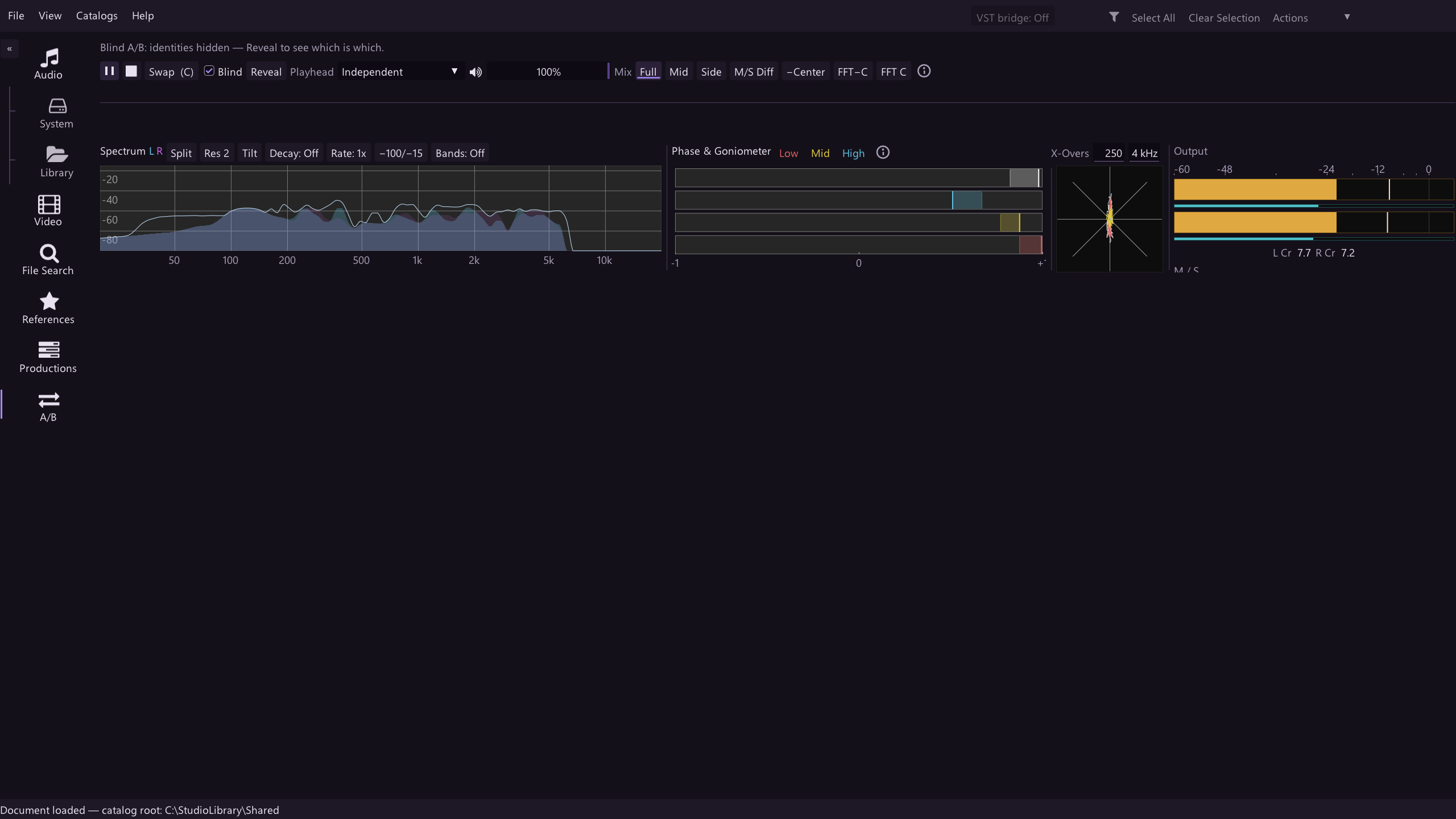
Broadcast-standard analysis, stored and searchable
BS.1770-4/R128 loudness with true peak measured at 4x standard or optionally oversampled up to 32×, loudness range per EBU TECH 3342, spectrum, per-band stereo correlation, goniometer, waveform, and spectrogram — computed per file and searchable across the whole catalog.
See your music in new ways
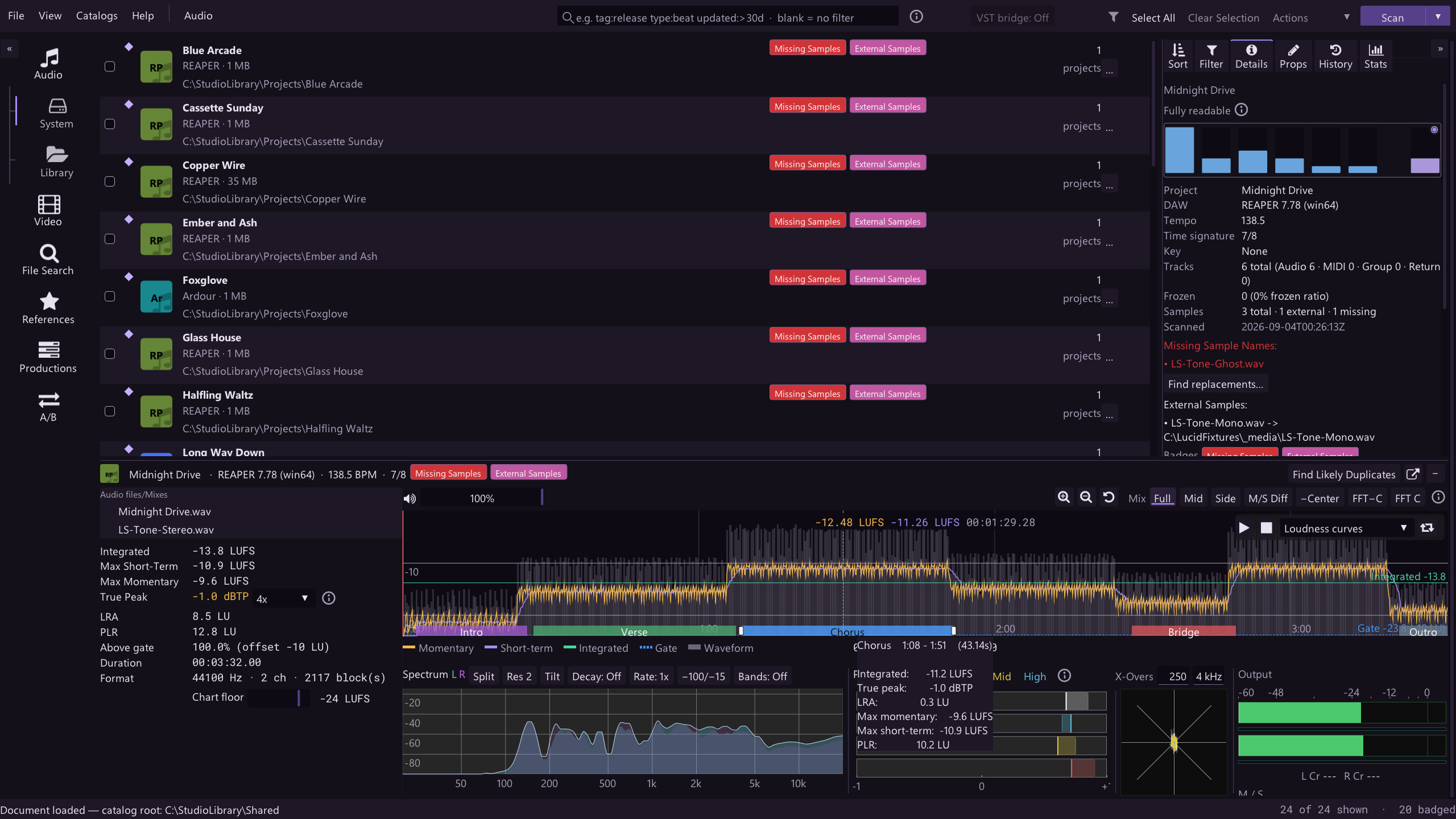
The multi-function plot, where the transport controls show your play status, includes waveform, loudness (momentary, short-term, integrated), relative gate, level spectrogram, and stereo width spectrogram options. You can hold shift+click+drag to designate song sections (intro, verse, chorus) and see summary statistics for each or loop them. Song sections stay with the audio file so that they can be used in A/B mode (eg. to compare two verses or choruses).
Probe your projects without opening the DAW
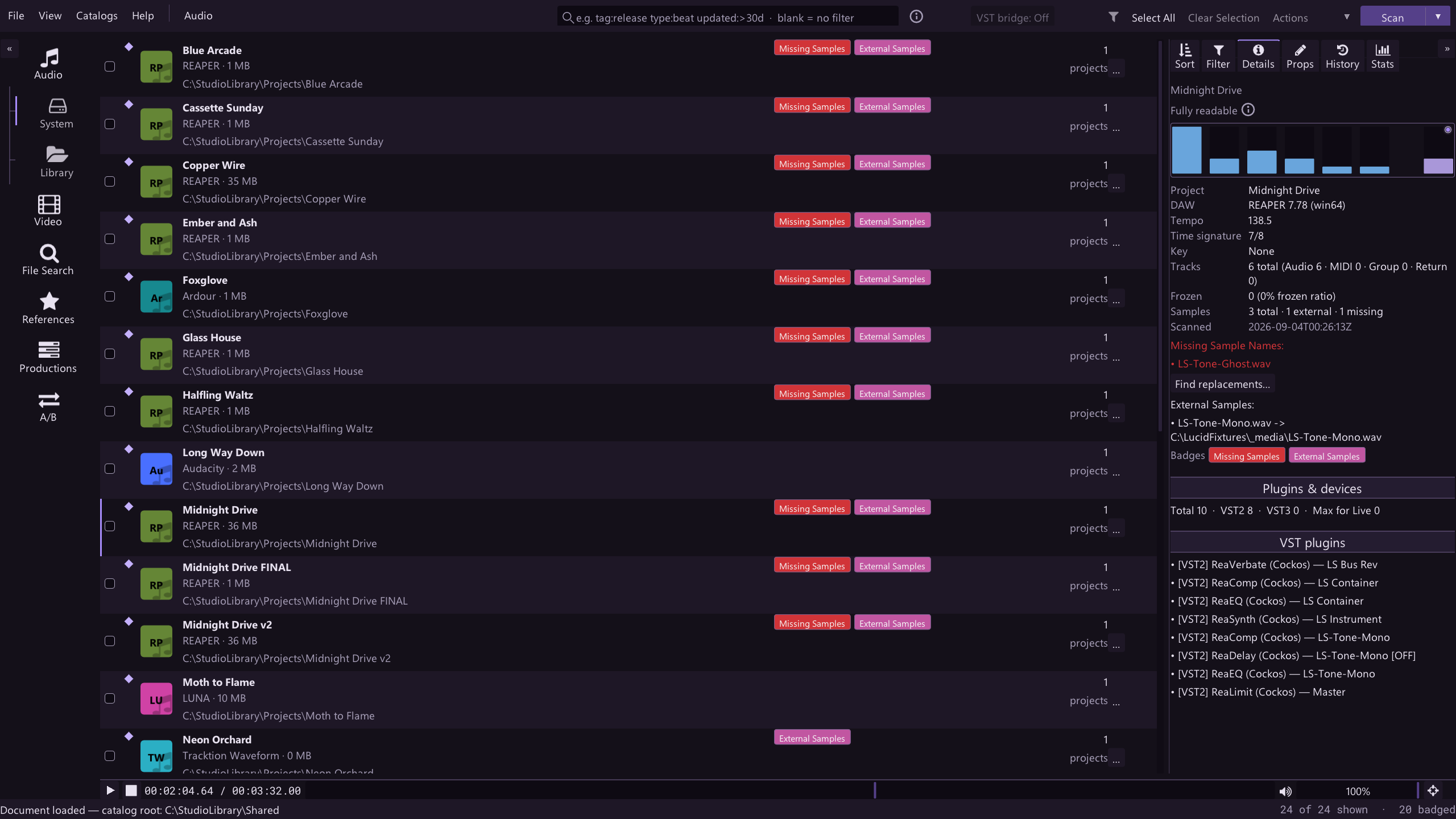
The project diagram saves you the hassle opening projects just to see what is in them. It shows a graphical representation of the tracks, plug-ins, tempo, key, and sample dependencies straight from the project file for supported DAWs. See the "Session-format coverage" below to learn more.
Session-format coverage
- Full
- Tracks, plug-ins, tempo, key, and sample dependencies read from the project file.
- Partial
- A useful subset reads; the rest of the session stays in the DAW.
- Identified
- Recognized and cataloged by name; the format is closed to deeper reading.
| Item | Coverage | Note |
|---|---|---|
| Ableton Live | Full | |
| REAPER | Full | |
| Studio One | Full | .song projects |
| Ardour | Full | |
| Tracktion Waveform | Full | |
| LMMS | Full | |
| DAWproject | Full | |
| FL Studio | Partial | |
| Audacity | Partial | |
| Studio One | Partial | .project files |
| Eight closed formats | Identified |
Badges and bulk actions at drive scale
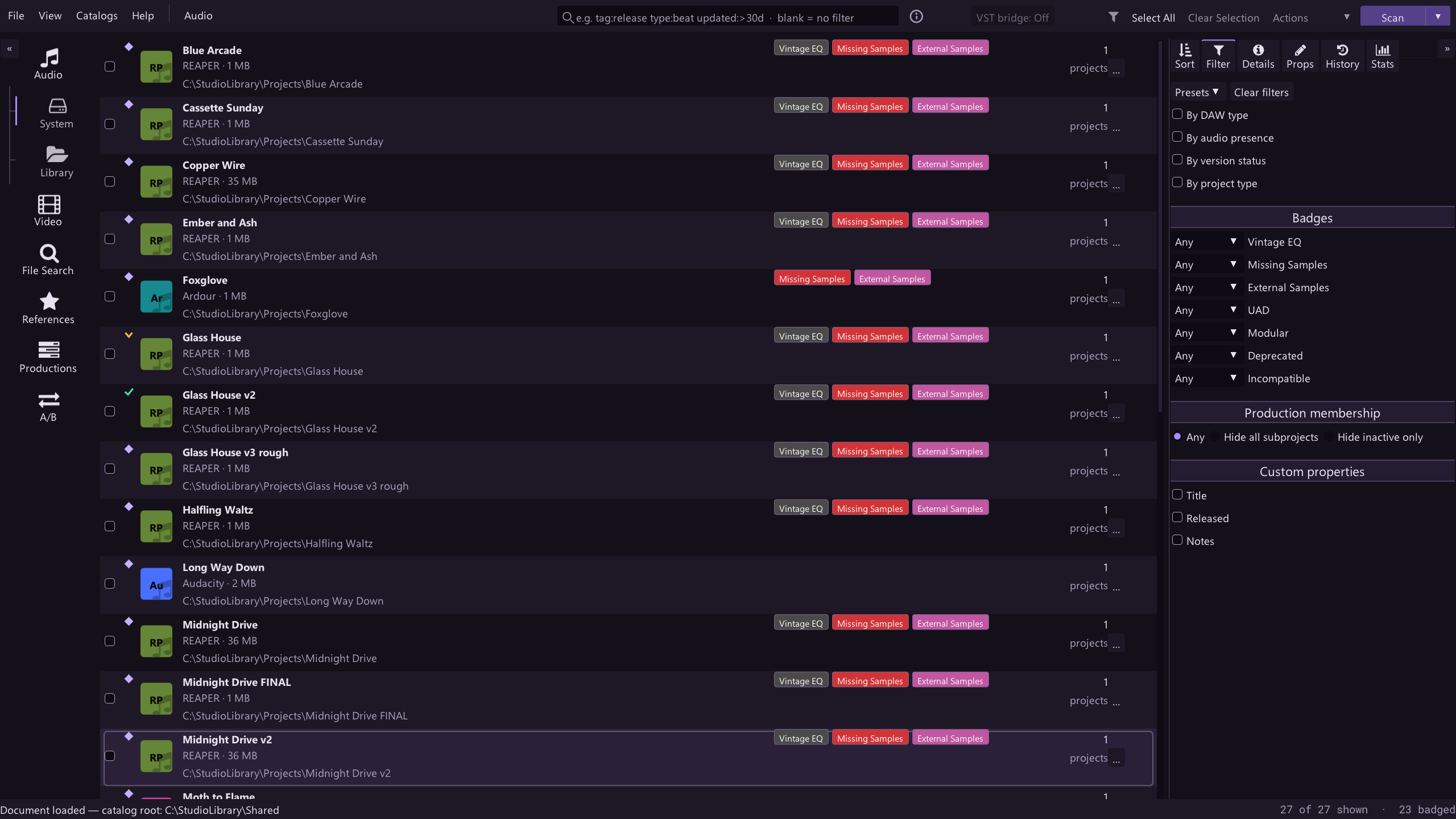
Rule-based badges match plug-in names and vendors — exact, prefix, substring, or regex — and flag missing or external samples automatically, across everything. Bulk move, copy, archive, back up, or tag any filtered selection in one pass.
Find duplicates and versions
Weighted filename matching ranks likely duplicates and versions of the same song, side by side, so you can pick the keeper.
Move-to-master and archive copy first, delete second, and always confirm.
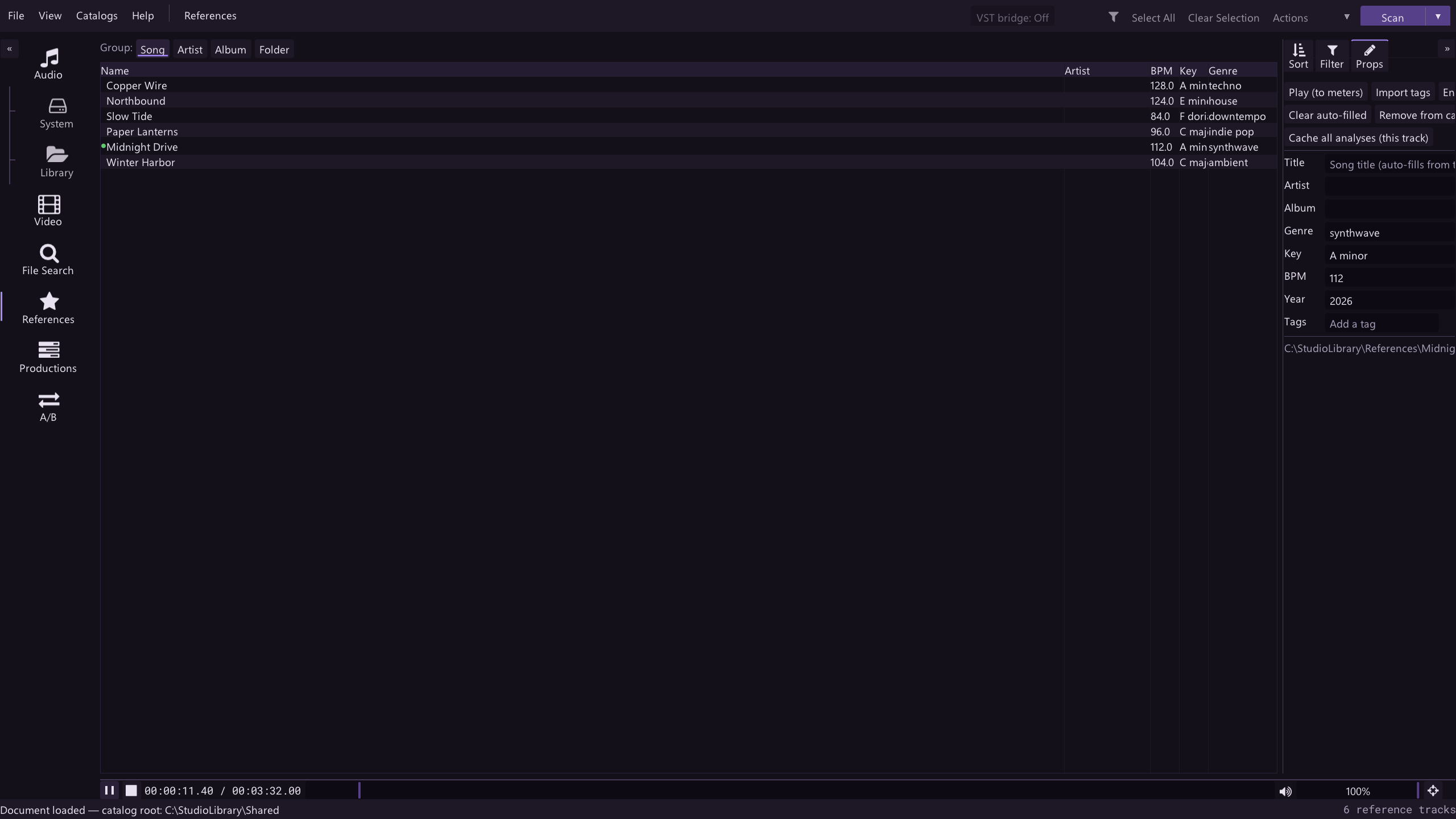
References that survive reorganizing
Reference tracks are identified by their audio content, not their file path — move or rename them and their analysis, metadata, and song sections follow. Seventy-eight built-in genres with a canonicalization list keep tagging consistent.
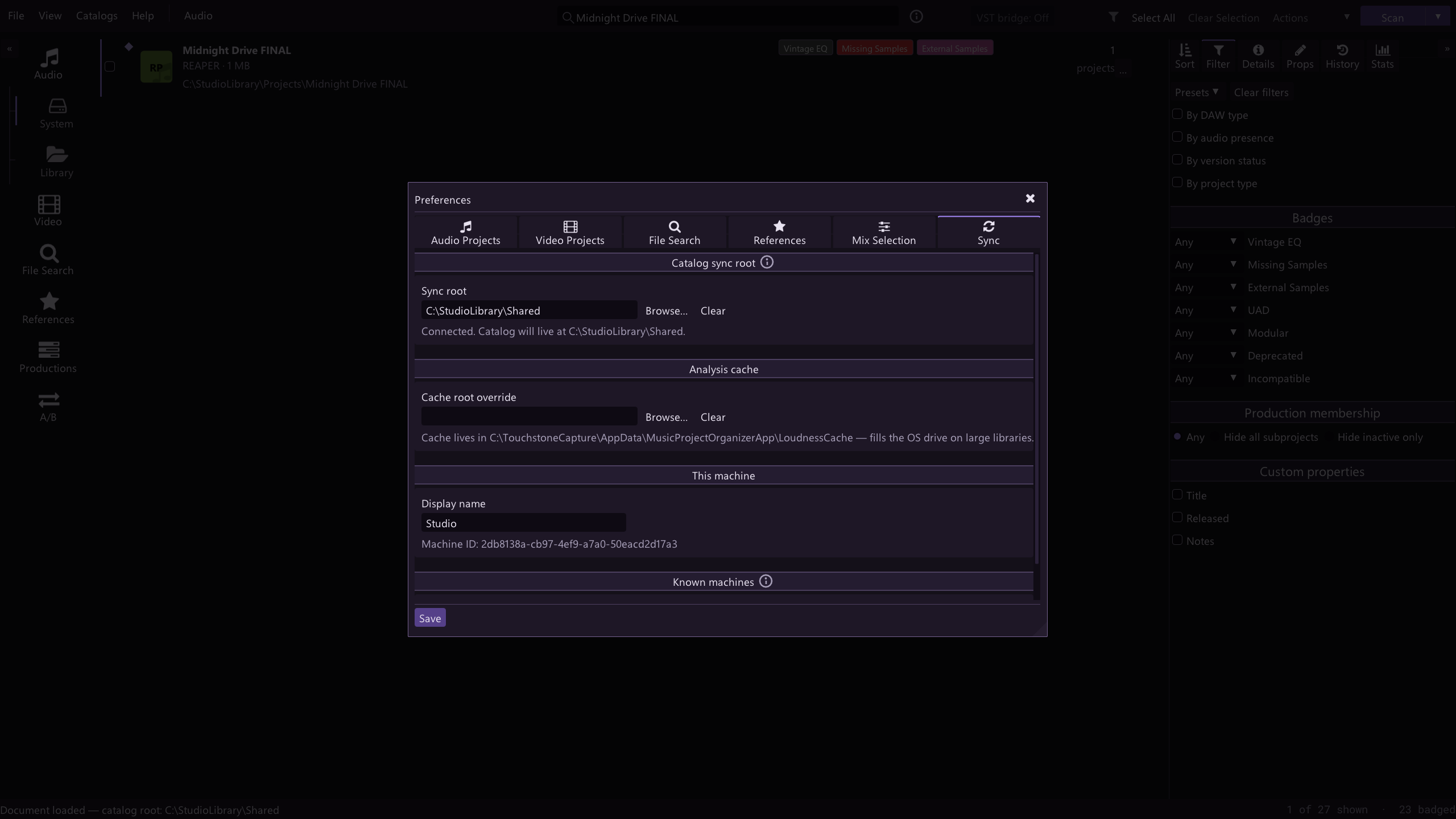
Backups and sync without a cloud account
One click packs a project into a plain timestamped zip — no lock-in, and restore defaults to a safe sibling folder. Point the sync root at any shared folder you already use and your fields, genres, badges, and presets follow you between machines.
Also in the box
Productions hub
Group subprojects, people, tags, and to-dos around a release — nestable for albums and singles.
Assisted sample repair
Finds likely matches for missing samples by name, duration, format, and size, then copies candidates for you to approve — you decide, always.
One analysis engine
The app and the bridge plug-in share the same analysis core — same DSP, matching numbers.
Downloads
- Windows Test version
Test versions are for testers. The Installer signs you in.
- macOS Test version
The macOS version is still being tested. Testers get it first.
Free while it's being tested. Sign in with a free tester account the first time you open it.
Being tested on Windows now.
Keep your attention on the music.
Touchstone is being tested on Windows now, and we read every reply.