





Lucid Session

by Lucid Session

Analog Bus

Everything your mix bus needs. Nothing that lies to you.

Six stages of signal processing based on workflows that have produced decades of hits. Includes advanced metering/analysis tools and unique blind comparison modes to keep your ears honest — no “magic” AI tricks to fool you into making changes that sound unnatural or flat come release time.

In testingVST3 · Windows and macOSAudio Unit · macOS
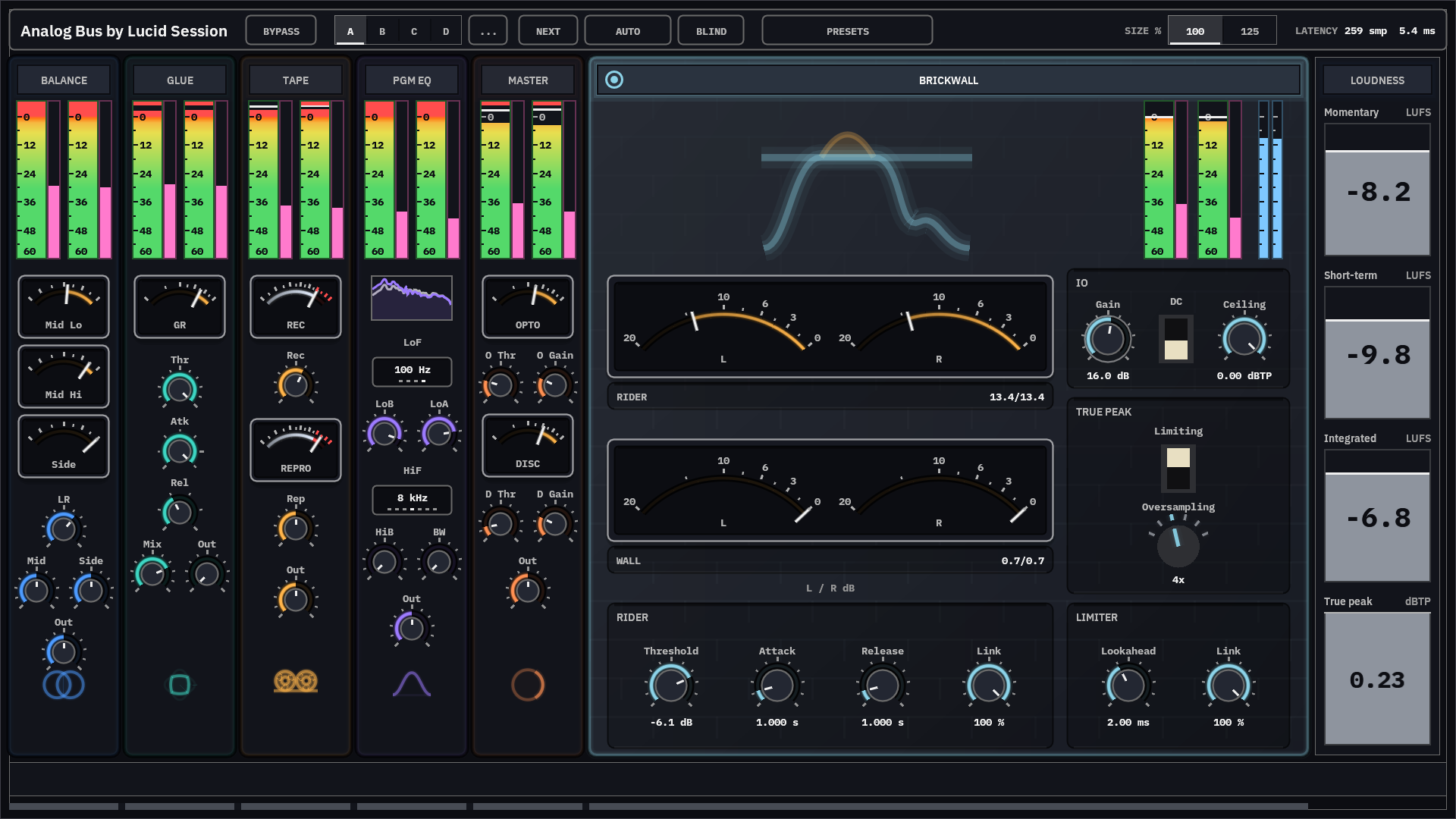
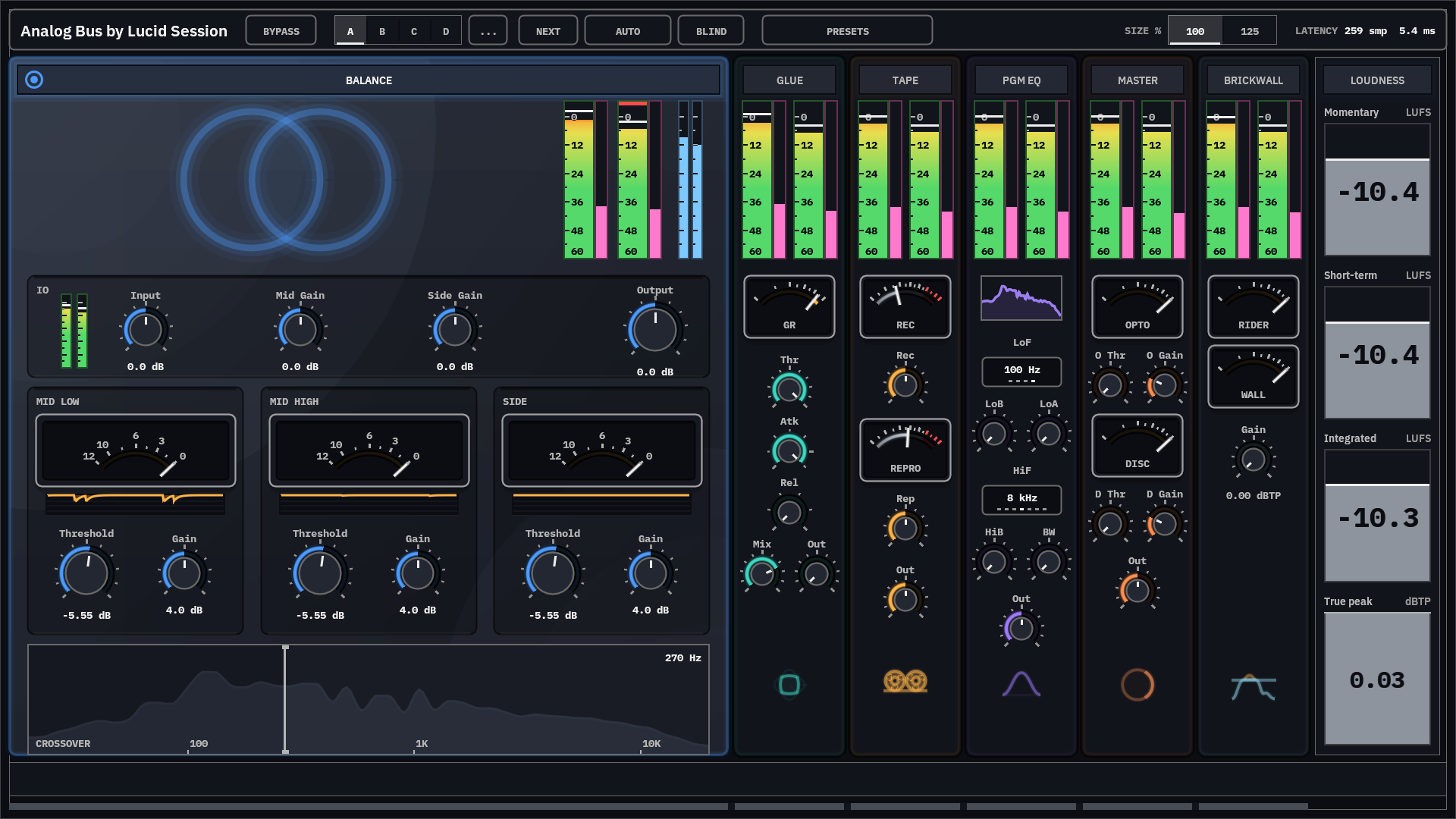
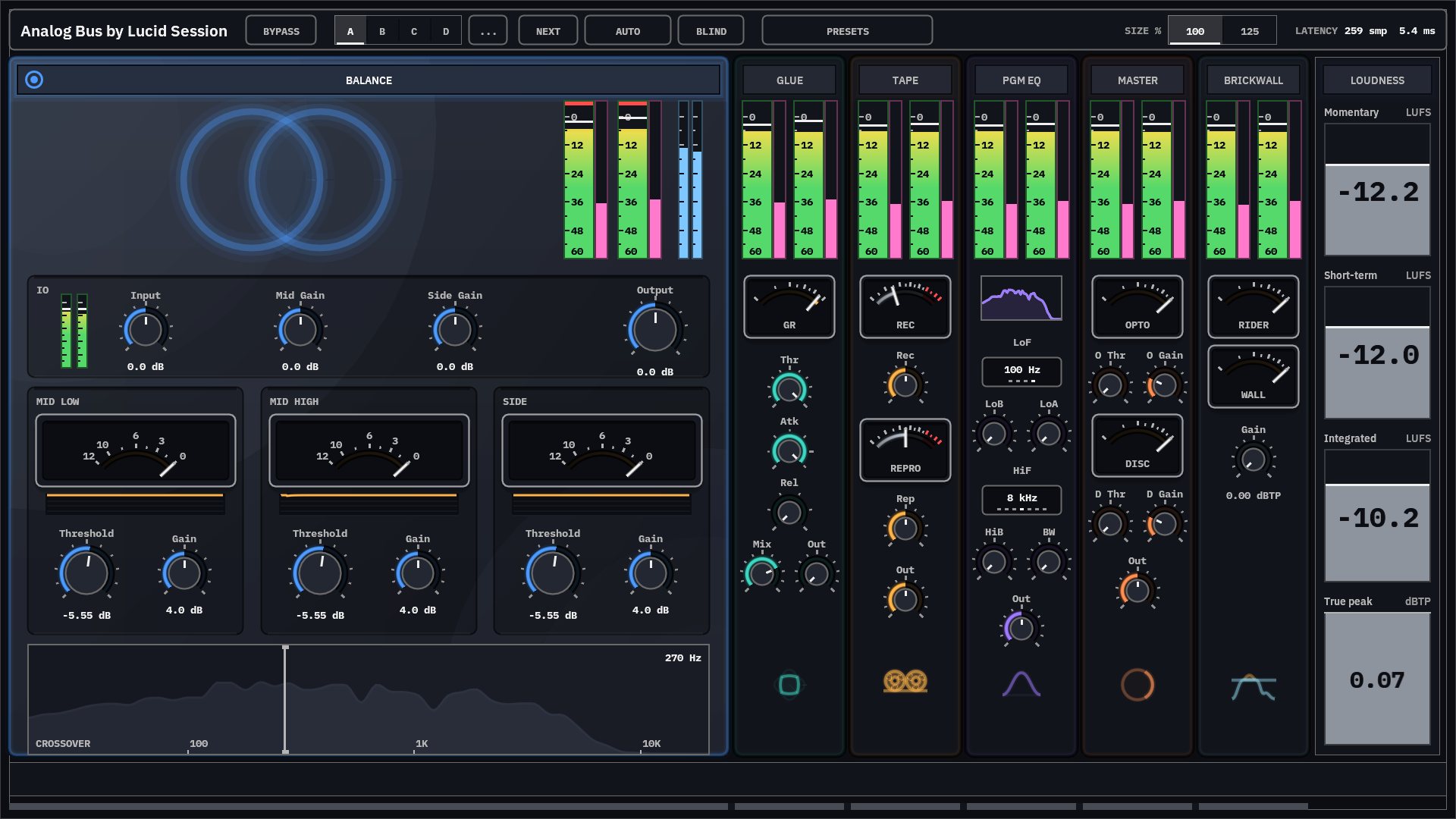
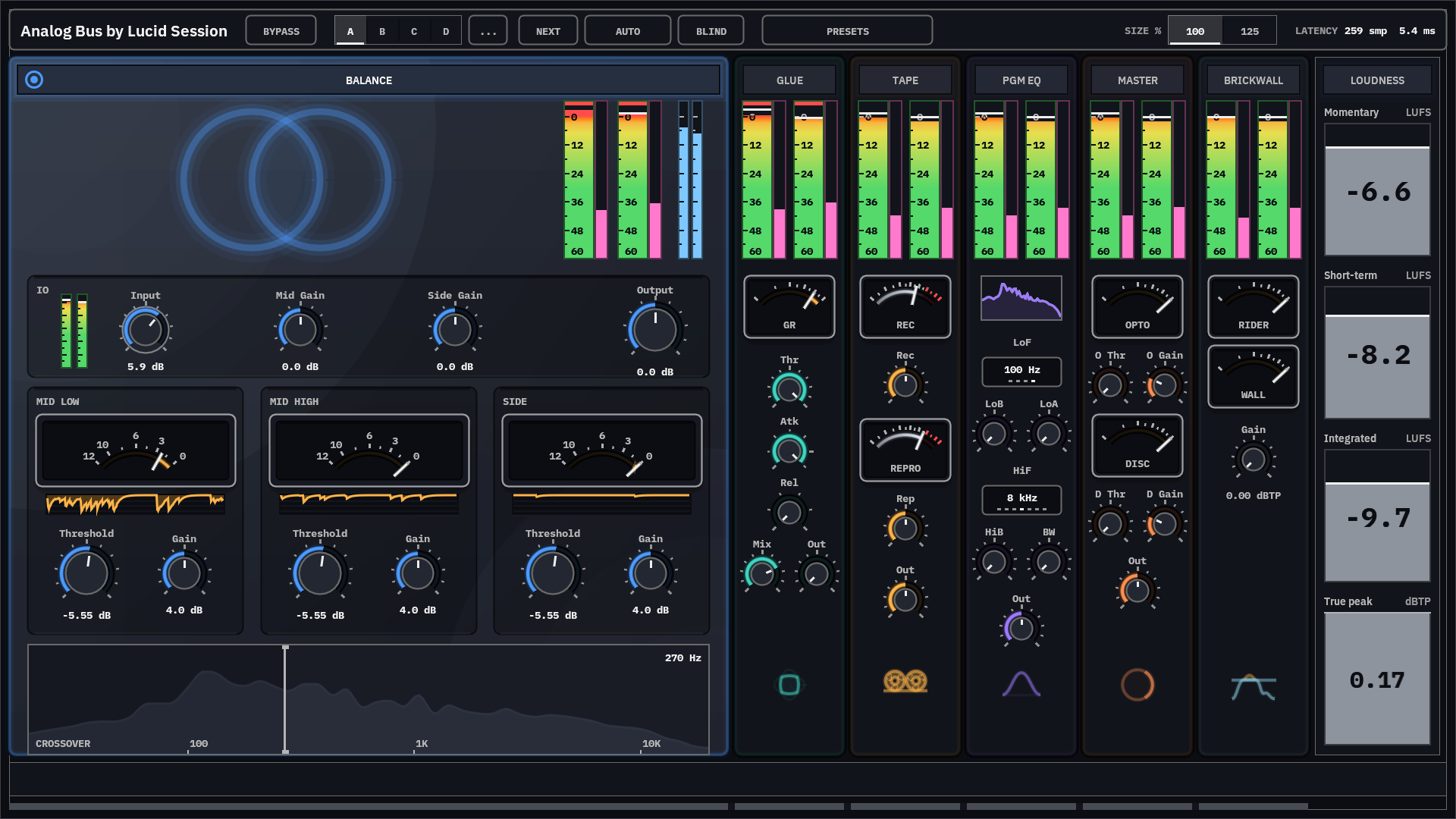
Analog Bus mix bus chain with all six stages active and live loudness and true peak readings.

What is in the chain

Six stages - set in a proven signal flow

  1. 01 Balance Set up for success
  2. 02 Glue Compressor Form the image
  3. 03 Tape Add character
  4. 04 Program EQ Shape and tone
  5. 05 Mastering Comp Attitude and image
  6. 06 Brickwall Limiter Production-ready
  7. out Loudness meters Know your output
  1. Stage 1 of 6 · Balance

    The first line of defense

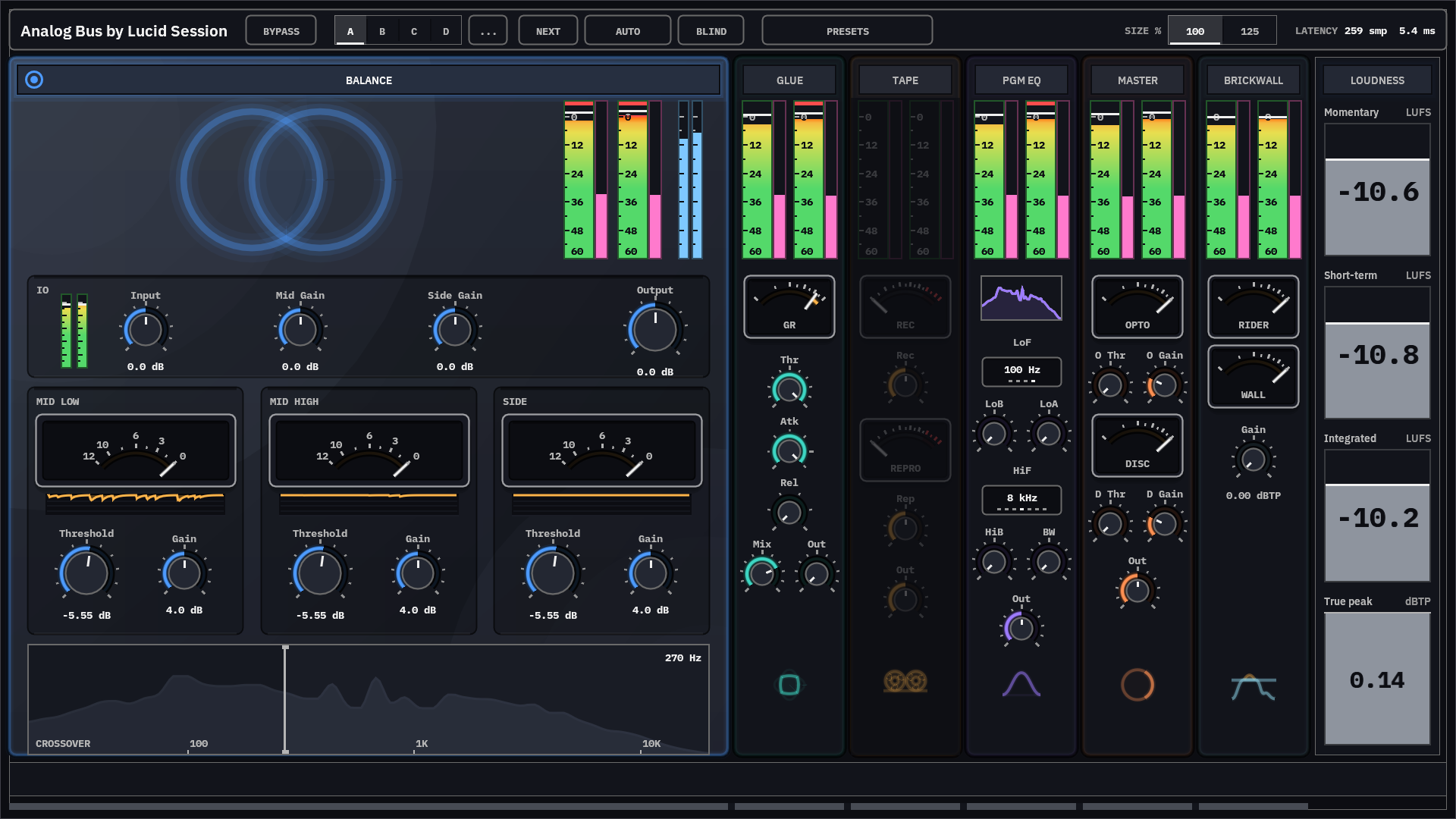
    The balance stage helps you ensure that your tracks are hitting the mix bus properly with three VU meters and paired compressors spread across the stereo image (mid low freq, mid high freq, side). Easily identify excessively loud or quiet kick, snare, vocal, or lead levels and choose whether to address them at the track level and/or apply some dynamic control in stage 1 to ensure the rest of the bus stages can perform optimally.

    • Three meters, one scale. The gain-reduction meters share one scale, so the balance between low mids, high mids, and the stereo edges is something you read rather than guess at.
    Three gain reduction gauges reading differently: the low band held hard, the high mid band moving with the music.
  2. Stage 2 of 6 · Glue Compressor

    Pull the mix together without squeezing the life out of it

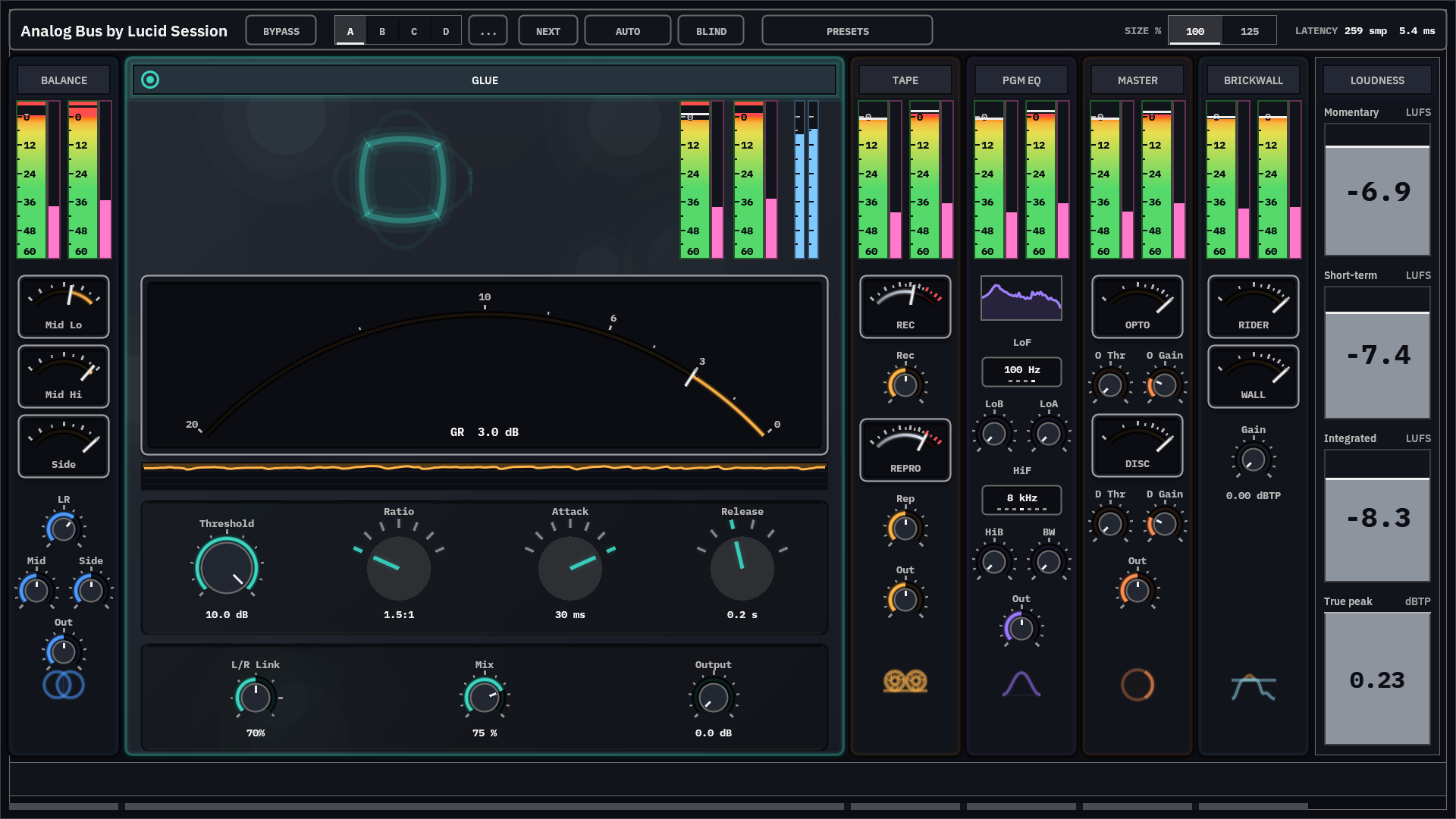
    A VCA style bus compressor whose grip stays gentle even at relatively high-compression settings. Inspired by combining aspects of our favorite iconic studio bus compressors which have produced hit music for generations, the detector listens to the compressor's own output, which lets you lean into it to get more of the same gentle control, not a flattened mix.

    • Perfect stereo image. Combine dynamics settings with L/R independence amount and mix dry/wet percentage to finely tune the overall width of the early mix stages.
    Bus compressor showing three decibels of gain reduction with a steady history trace.
  3. Stage 3 of 6 · Tape

    Density that doesn't cost you the top end.

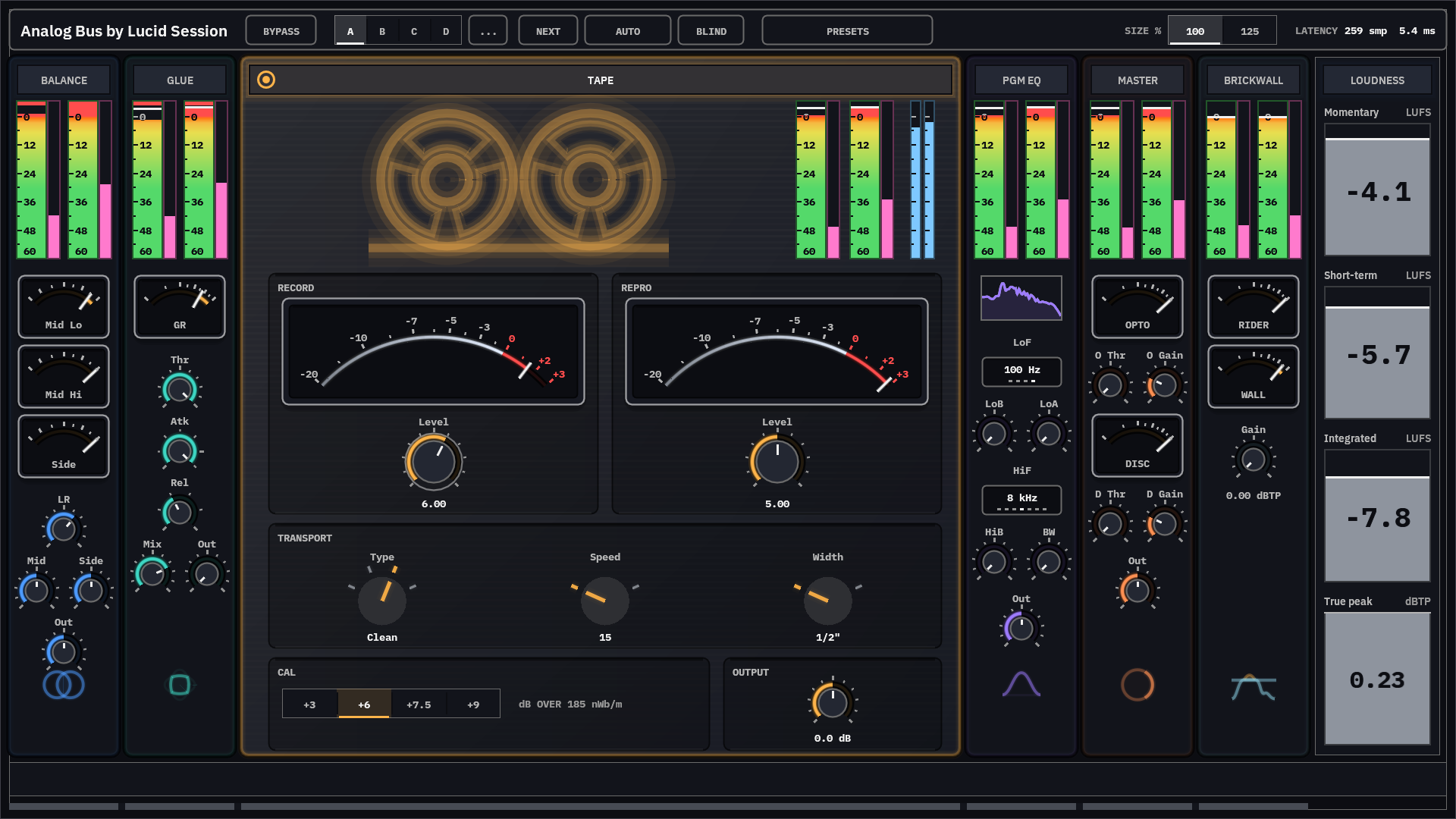
    Simulate four different tape formulations, IPS settings, and then drive the input to liven up your mixes with analog color that never disappoints.

    • Drive it for density, not crunch. Cymbals, sibilance, and the top of the snare get rounded and thickened before the body does, so the mix gets denser instead of crunchier.
    Tape stage with both meters at the top of their scale and the transport switches legible.
  4. Stage 4 of 6 · Program EQ

    Powerful low end, perfectly controlled air

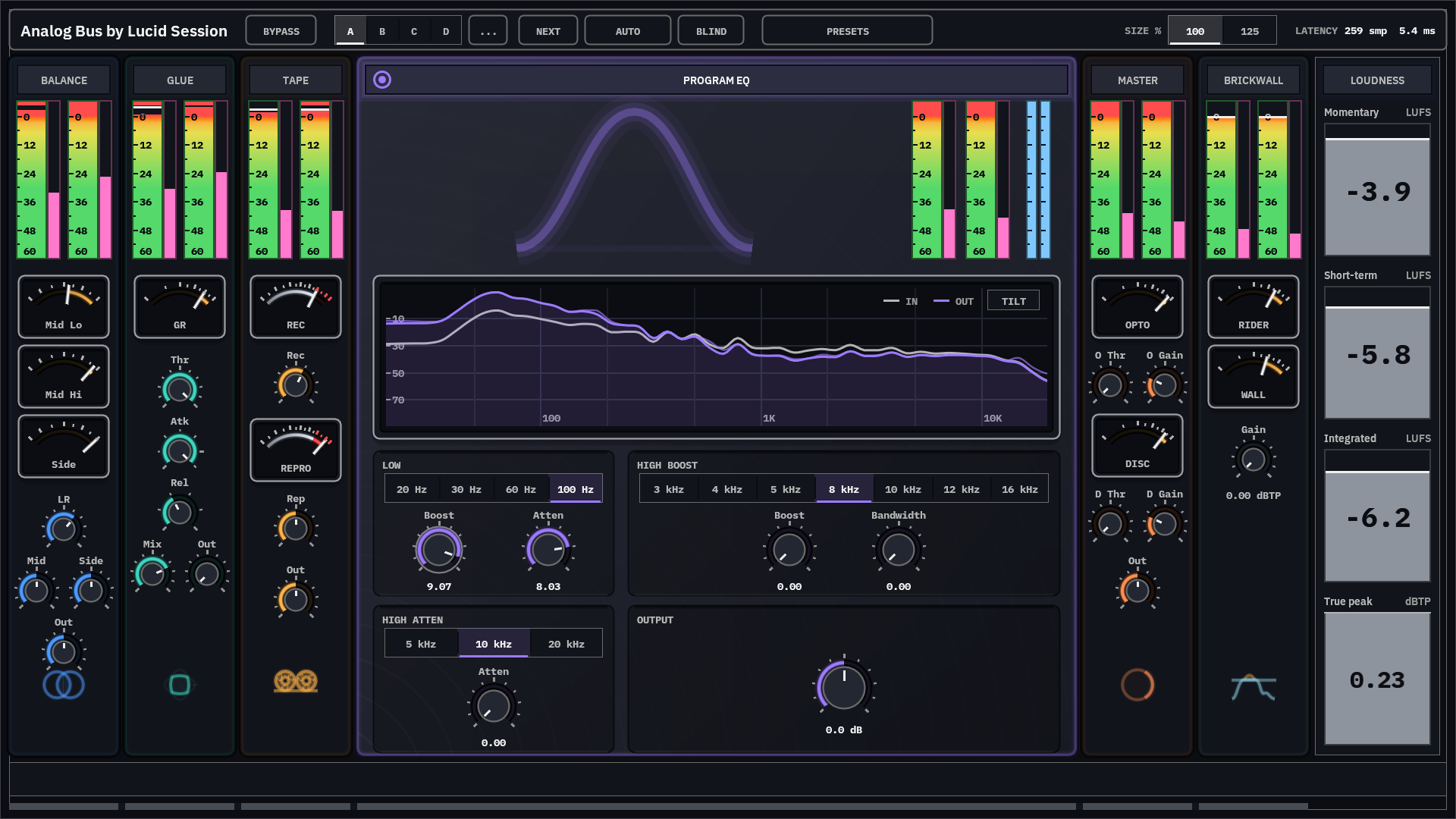
    Inspired by the most-iconic analog EQs in existence (with some or our own tweaks), the Program EQ is a non-linear tube EQ that is perfect for bus-level EQ adjustments. Adjust the low boost and low cut in tandem to create low end power and clarity. Add boost at 12 KHz or 16 KHz in combination with a tiny cut at 20 KHz to add gentle, pleasing air to your mix.

    • Big on a club system, clear on a phone. The low boost/cut controls move weight and mud in opposite directions at the same time, the staple move behind a powerful bottom end.
    Low boost and low cut both raised at 100 hertz, with the resulting lift below and dip above on the live spectrum.
  5. Stage 5 of 6 · Mastering Comp

    Two-stage mastering-quality compression

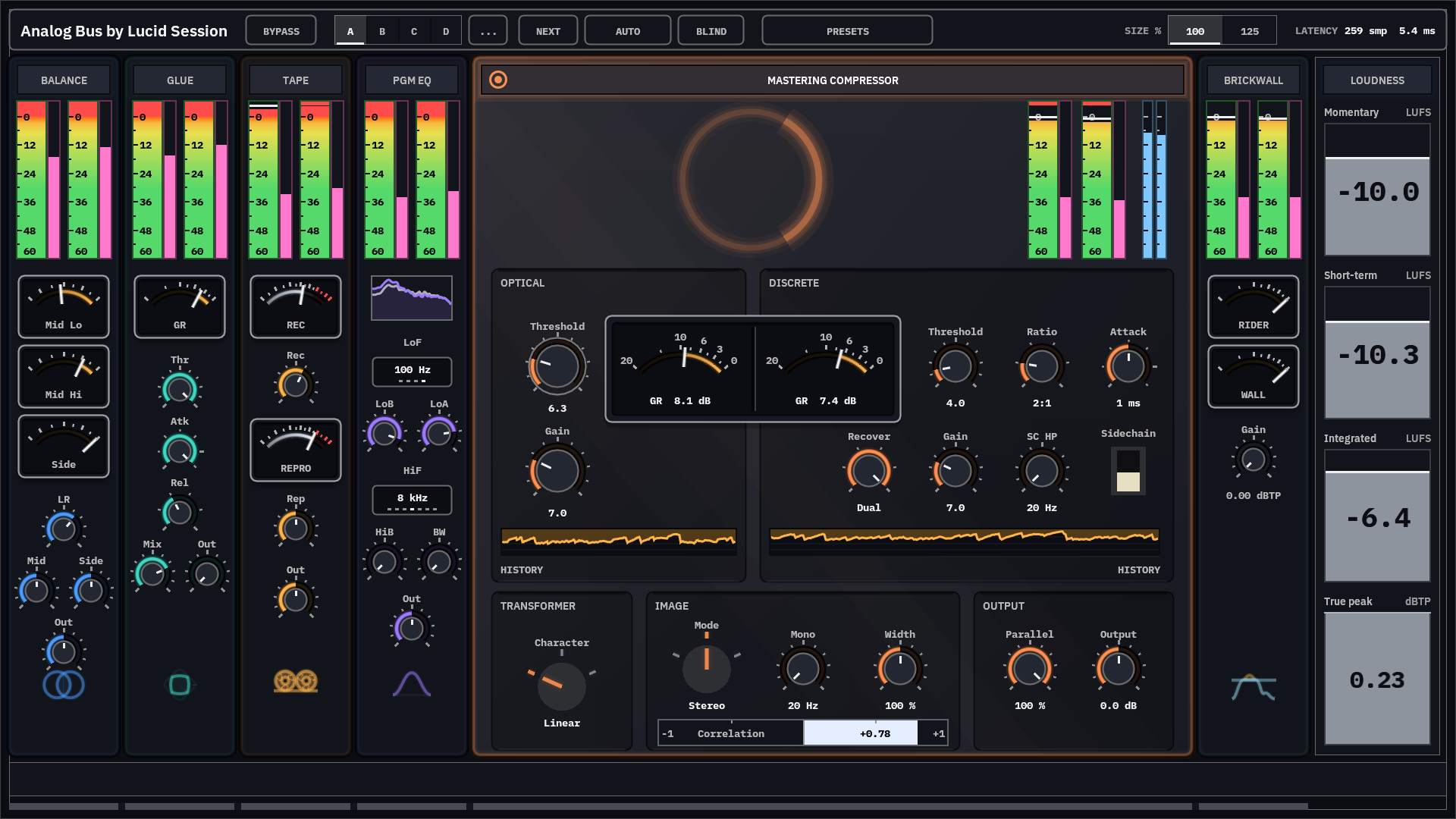
    The Mastering Compressor employs a two-stage, independent detector, optical + discrete compression strategy that allows for a complex response to bus dynamics. Inspired by famous combined units which drew inspiration from prior legendary optical and VCA bus compression units, our mastering compressor provides all of the control needed to shape the attitude of your mix prior to the final limiting stage.

    • Controls tailor the output for final limiting. A mono maker optionally folds everything below a chosen frequency to the center, a width control sits beside a correlation bar, and three channel modes let the pair work the center and sides separately.

    The stage ships inert: you turn the thresholds up to get compression rather than finding it already compressing, so opening it costs nothing until you ask.

    Optical and discrete compressors reducing side by side on one scale, with the correlation bar below.
  6. Stage 6 of 6 · Brickwall Limiter

    Rider + Wall for transparent to pumped mixes

    Achieving industry-level final loudness is non-negotiable. The Brickwall limiter lets you get the levels you want with the control to make the limiting as transparent or noticeable as you'd like depending on the genre you're targeting. The slow "rider" stage helps with overall leveling while the "wall" stage catches and controls faster transients.

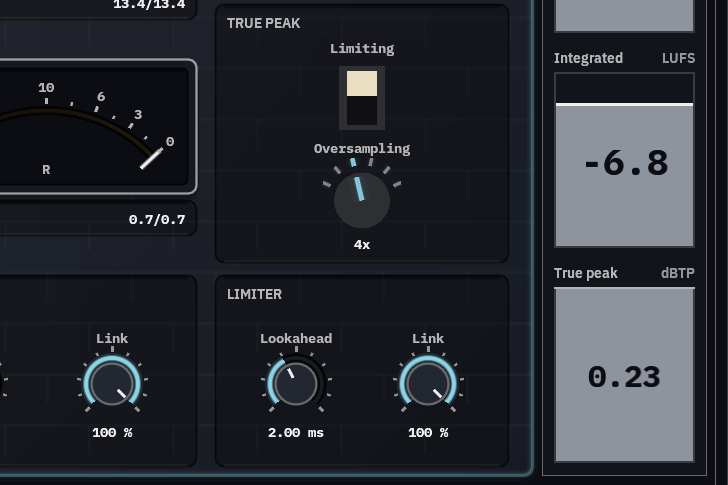
    • True peak oversampling up to 32x. Tame inter-sample peaks prior to final mix-down to avoid unwanted surprises at release time.
    • A peak detector that errs the safe way. It runs at eight times the resolution of the metering standard's reference filter, because an estimate that reads low removes too little gain and something slips over.

    The ceiling caps the sample output, so a true-peak reading can sit slightly above it by design.

    Slow rider reducing thirteen decibels while the fast limiter catches under one.
  7. Output · Loudness meters

    Know exactly what you're delivering

    The loudness meters sit at the end of the chain and are always on. Momentary, short-term, and integrated LUFS read above a true peak meter in dBTP, so you can hit the loudness your release needs and see how close the output comes to the ceiling before you bounce.

    The lower right corner of Analog Bus: the Brickwall stage's true peak limiting switch and oversampling knob beside the loudness meters, which read integrated -6.8 LUFS and true peak 0.23 dBTP.

Workflow is key to great mixes!

  • Mix with speed

    Ask professional mix engineers and most will tell you that they work quickly to keep their ears fresh during sessions. Analog bus deliberately enforces a proven signal flow that improves your ability to produce consistent results and streamlines workflow by removing unnecessary controls found in other plugins which tend to be distracting time-wasters. The physical layout, size, and choice of controls is designed to help you work from start to finish and quickly tune your mix to sound amazing!

  • Encourages best practices

    Modern mix/mastering plugins often include "magic" tools which encourage mixers to fix issues on the mix bus that should be addressed at the track level with simple tools like level, pan, EQ, compression, and/or automation. That approach is like trying to fix a pocket watch with a sledgehammer. The results are songs which often sound flat, weird, or good only in isolated sections. Analog Bus provides everything a final mix bus needs and avoids tricks to help you build habits used by pros to consistently produce amazing and predictable results!

  • Full Chain A/B/C/D

    Great mixers understand how neurological and physiological effects like masking bias their impressions and why A/B comparison is a game changer in determining if adjustments are actually resulting in a better mix. Analog Bus provides easy whole-chain A/B/C/D comparison that is difficult and time-consuming to set up when using individual mixing plugins on a mix bus. Copy/paste to check small changes or instantly swap between completely different busses correctly gain-staged to hear how your mix sounds with different optimally-levelled tape saturations, bias levels, or compressor settings.

Built for CPU efficiency

Final mix and mastering busses are notorious resource hogs, but the whole-bus integration approach used by Analog Bus enables several unique optimizations - Three stages share a single double-rate oversampling region instead of each converting on its own. A full six-stage chain measures 3.8% of one typical laptop core at 64-sample buffers, and stays under 5% with true-peak detection at its highest 32x oversampled setting.

A processor chip drawn as a glowing outline: a square die with a smaller square at its center and three pins on each side.

Our new, and soon-to-be your favorite, feature

Blind A/B/C/D that keeps you honest

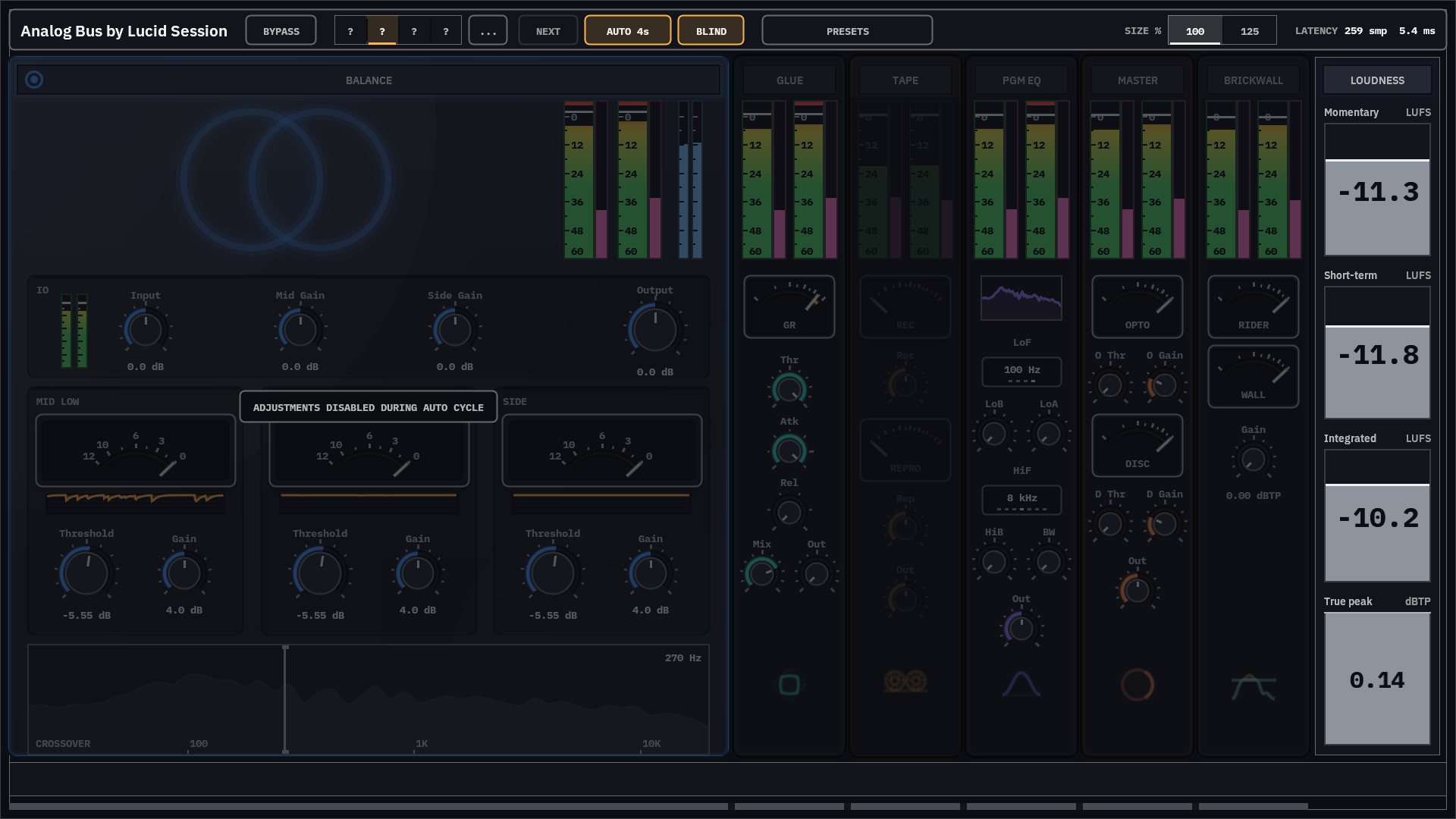
Analog bus includes a new feature we're frankly surprised we've not seen in other plugins - Random Blind Mode. When engaged, blind mode replaces the A/B/C/D buttons with question marks and shuffles the order the first time the user clicks on the "Next" button. This allows sequencing through mix settings in a truly unbiased fashion that removes the temptation to prefer your most recent edits (a common mixer pitfall). Combine it with the automatic timed sequencing feature to compare the results hands-off.

Preset bar in blind mode with four anonymous slots, auto cycle lit, and the body locked out.

Improved situational awareness

Six stages, one gain-staging ribbon

Balance Gauge, Glue Comp, Tape, PGM EQ, Master, and Brickwall — each individually bypassable, each with its output meter in the same position and scale, so you can easily see how changes in one stage affect the entire signal chain.

Six stage columns with output meters aligned at the same height, one stage bypassed and greyed.

Compact stage views

Keeping everything you need at your fingertips

When working within an expanded stage, compact views of the other stages provide quick reference and access to their most critical indications and settings. Controls included were chosen because they are the most likely to need minor adjustments when changes are made in other stages.

  • Detailed popups provide clarity. When you hover the mouse over a compact gauge or control, the full version is brought up in a popup to ensure you have full awareness of the applicable readings and settings.
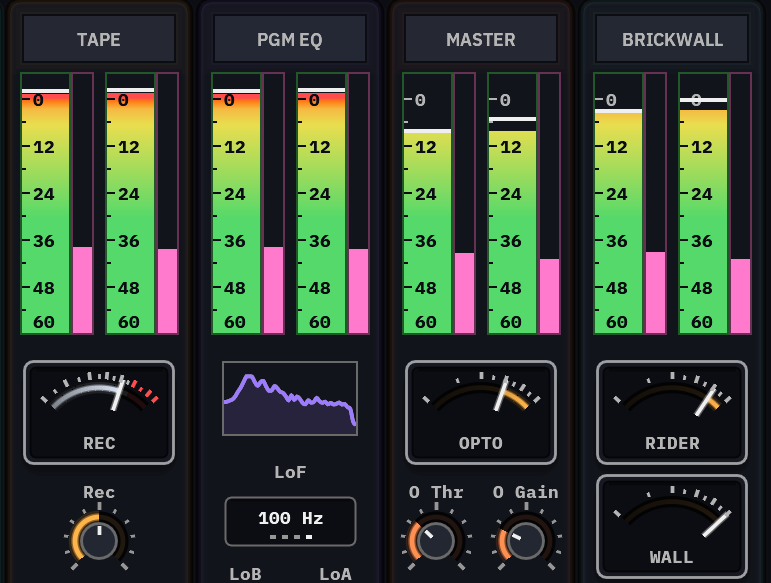
Tape, PGM EQ, Master and Brickwall in their compact views, side by side: live level meters on top; below them Tape's record needle and drive knob, the EQ's spectrum and low-frequency selector, Master's optical needle with its threshold and gain knobs, and Brickwall's rider and wall needles.

Whole-chain A/B

Compare the whole bus, not one box at a time.

Traditional busses relying upon separate plugins require midi automation or other convoluted DAW strategies to compare bus-wide changes. Analog Bus has four memory slots and each holds the whole bus treatment, so switching compares two finished results rather than two increments.

  • Time-aligned, silent. Latency stays at fixed whichever way you switch: no host renegotiation, no click between takes.
All six stages metering on one shared scale with the preset bar across the top.

Specifications

Specifications
Formats VST3 (Windows, macOS) · Audio Unit v2 (macOS)
Format parity Bit-identical output between VST3 and AU
Latency 259 samples, constant (≈ 5.4 ms at 48 kHz)
Performance 3.8% of one typical core at 64-sample buffers, shipped defaults
Loudness compliance BS.1770-4 / R128
Controls 67 automatable parameters
Oversampling Internal double-rate region · limiter detector to 32×

Downloads

  • Windows Test version

    Test versions are for testers. The Installer signs you in.

  • macOS Test version

    The macOS version is still being tested. Testers get it first.

Free while it's being tested. Sign in with a free tester account the first time you open it.

v0.1.0-beta.1

Being tested on Windows and macOS now.

Put an honest chain on your bus.